

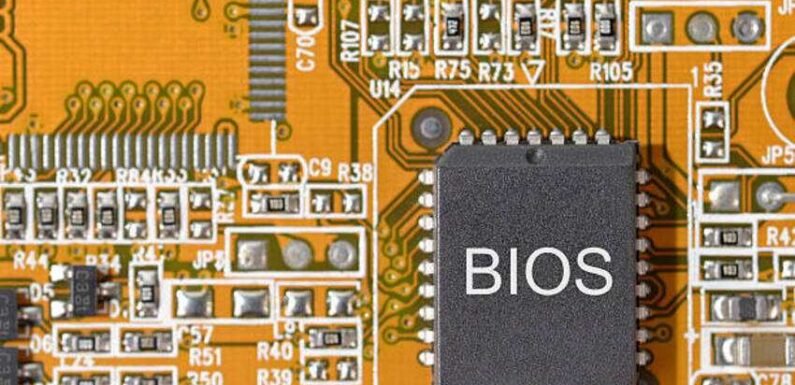
Retro gaming remains popular across the world. Many players enjoy classic PlayStation Two games today. Emulators help bring these games to modern devices. A key part of emulation is the BIOS file. This file helps the emulator run games correctly. Without it, most games will not start. Finding a safe source is very important. Unsafe files can harm your system. They may also break the emulator performance. This guide explains how to stay safe. It also explains legal and technical basics.
What Is a PS2 BIOS File
The BIOS is system software. It comes from the original PlayStation Two console. It controls startup and hardware functions. Emulators need this file to work. They use it to mimic the real console. Games rely on it for proper behavior. Different regions use different BIOS versions. There are files for Japan, Europe, and America. Choosing the right one matters.
Why Safety Matters in 2026
Cyber threats keep increasing. Fake websites often host harmful files. These files may contain malware. Some sites use misleading ads. They trick users into unsafe downloads. This can damage your computer. Safe sources protect your system. They also protect your data. Security should always come first.
Legal Considerations You Must Know
BIOS files are copyrighted. They belong to Sony. Sharing them publicly is usually illegal. Many regions allow personal backups. This means you can dump your own BIOS. You must own the console. Always check your local laws. Rules differ by country. Legal knowledge keeps you protected.
How to Create Your Own BIOS File
The safest method is personal dumping. You need a real PS2 console. You also need a USB drive. Special tools help extract the BIOS. These tools run on the console. They copy the file to the USB. This method is legal in many places. It also ensures file authenticity. Security risks stay low.
Trusted Emulator Communities
Online forums provide guidance. Experienced users share safe methods. They also explain legal steps. Popular emulator communities offer tutorials. They avoid linking to illegal files. They focus on education. These platforms are helpful. They answer beginner questions. They build user trust.
Signs of a Safe Download Source
Look for a clean website design. Avoid pages filled with pop-ups. Too many ads indicate risk. Check user reviews. See what others say. Negative feedback is a warning sign. Trusted sites explain legal limits. They provide guides, not files. This shows responsibility.
File Verification Steps
Always scan files with antivirus software. This reduces infection risk. It keeps your system clean. Check file size and format. BIOS files are usually small. Unexpected sizes can signal danger. Use checksums when possible. These confirm file integrity. Matching values ensures safety.
Emulator Compatibility
Different emulators need different BIOS formats. Some support multiple versions. Others require specific regions. Check emulator documentation. Follow their setup guides. This avoids errors. Using the correct BIOS improves performance. Games load faster. Crashes become rare.
Avoiding Fake Download Buttons
Many sites use fake buttons. They look like real links. They often lead to harmful files. Scroll carefully. Look for clear instructions. Avoid flashing graphics. Safe sites focus on information. They guide users step by step. They avoid aggressive marketing.
Using Virtual Machines for Extra Safety
Advanced users may use virtual machines. These isolate the system. They prevent damage. Downloads happen inside a sandbox. If malware appears, it stays contained. Your main system remains safe. This method adds protection. It is useful for testing files. Beginners may skip this step.
Role of Backup Storage
Always store files safely. Use cloud storage or external drives. This prevents data loss. Keep backups of your BIOS. This avoids repeat dumping. Time is saved. Label files clearly. Include region and date. Organization helps later.
Performance Tips for 2026 Systems
Modern hardware runs emulators smoothly. Adjust graphics settings. Balance quality and speed. Keep emulator software updated. New versions fix bugs. They improve compatibility. Use official plugins. Avoid unknown add-ons. Security stays stronger.
Common Mistakes to Avoid
Never trust random download links. Social media posts can mislead. Verify sources first. Avoid torrent files. They often bundle unwanted software. Risks increase greatly. Do not disable antivirus software. It protects your system. Safety is more important than speed.
Community Support and Learning
Join emulator forums. Ask questions freely. Experienced users help newcomers. Watch video tutorials. They show each step. Visual guides reduce mistakes. Learning improves confidence. Confidence improves safety. Good habits form quickly.
BIOS Download PS2. Safety Summary
The safest method is personal dumping. It avoids legal and security problems. It ensures file accuracy. BIOS Download PS2. Searches should focus on education. Avoid direct download offers. They often break the law. Always verify files. Use antivirus tools. Stay informed.
Future of Emulation in 2026
Technology keeps improving. Emulators become more accurate. Graphics quality increases. Legal awareness also grows. Communities promote ethical use. Education becomes central. Users benefit from safer tools. Security features improve. Gaming stays enjoyable.
Conclusion
Finding a safe BIOS file takes care. Security and legality matter greatly. Quick shortcuts often bring risks. Using your own console is the best method. It ensures safety. It respects legal rules.
Communities and guides provide support. They help users learn properly. Good habits protect systems. By following these steps, emulation stays safe. Your gaming experience remains smooth. Your device stays secure.
FAQs
1. Is downloading a PS2 BIOS file legal?
It depends on your local laws. Personal backups are often allowed.
2. Can I use any BIOS file with my emulator?
No, compatibility varies. Check emulator requirements.
3. How do I know if a file is safe?
Scan it with antivirus software. Check file size and format.
4. Do I need a PS2 console to get a BIOS?
Yes, for legal dumping. It ensures compliance.
5. Why does region matter for BIOS files?
Some games need matching regions. This improves compatibility.

Tech World Times (TWT), a global collective focusing on the latest tech news and trends in blockchain, Fintech, Development & Testing, AI and Startups. If you are looking for the guest post then contact at techworldtimes@gmail.com